Community-card poker8
- Hold'em
- PLO
- PLO5
- PLO6
- PLO8
- PLO5 Hi-Lo
- PLO6 Hi-Lo
- Short Deck
No Limit, Pot Limit or Limit.Up to 6 seats


One tablet or phone becomes the table and shows the board, the pot, the points and whose turn it is. Each player's phone shows only their own cards. Phones alone are enough.
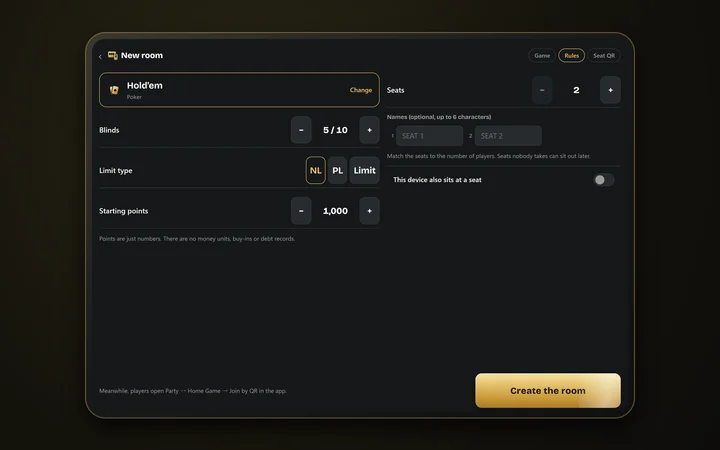
Play in the appOn the host device (a tablet works best), tap "Create a new room (host)" and choose the game, the number of seats and the starting points. The host can take a seat too.
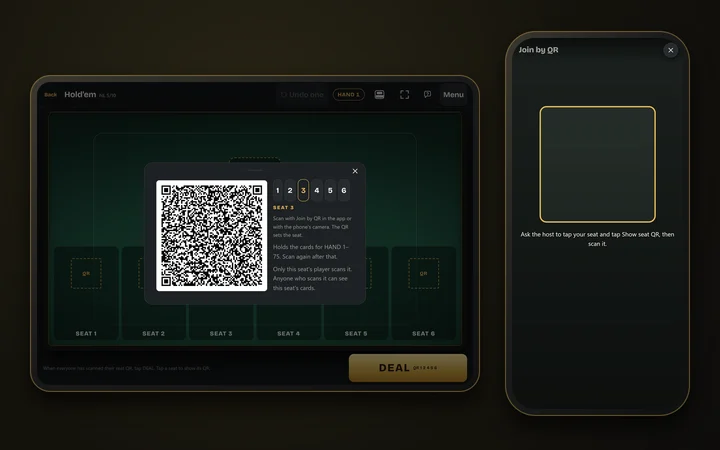
On the host, tap a seat, then "Show seat QR". On your device, tap "Join by QR" and scan it with the full-screen camera.
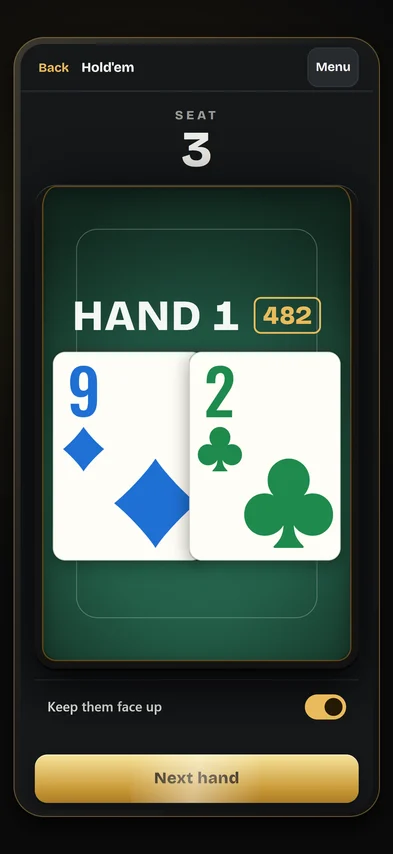
When the host deals, the hand number and a 3-digit number appear in the middle, such as "HAND 1 · 482". Enter that number on your device to see that hand's cards. They show face up only while you hold them down. The board and the points are on the host.
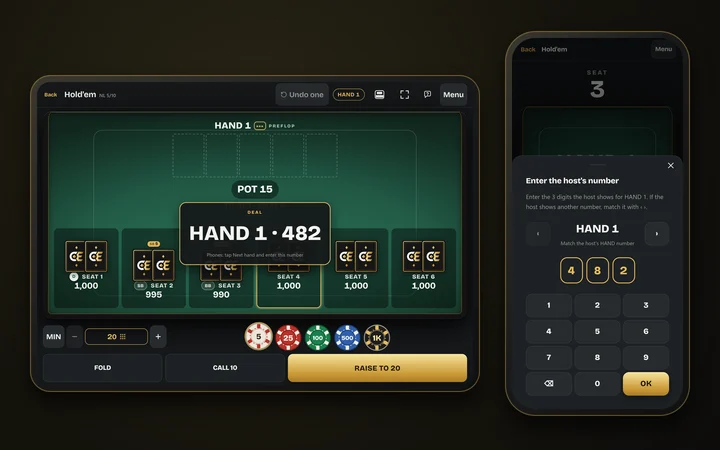
The host shows the board, the pot and whose turn it is. Actions such as FOLD, CHECK and BET are tapped on the host.
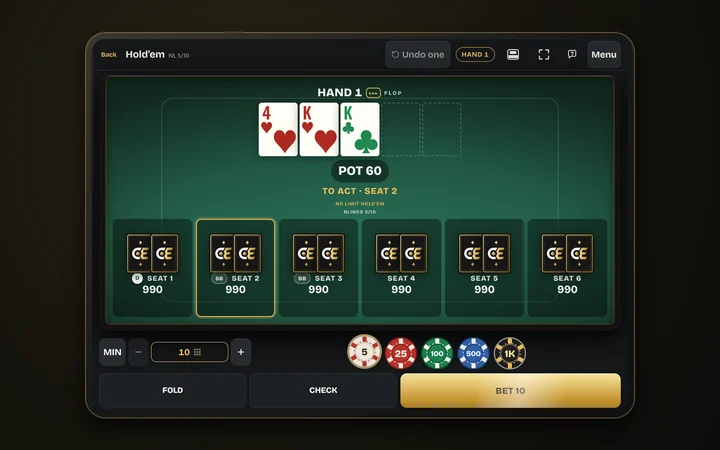
Each hand, tap "Next hand" on your device and enter the 3-digit number shown on the host. If you were away for a while, first match the HAND number to the host's with ‹ ›. For draws and Stud's 7th street, scan the QR code the host shows at that moment to get your new cards.
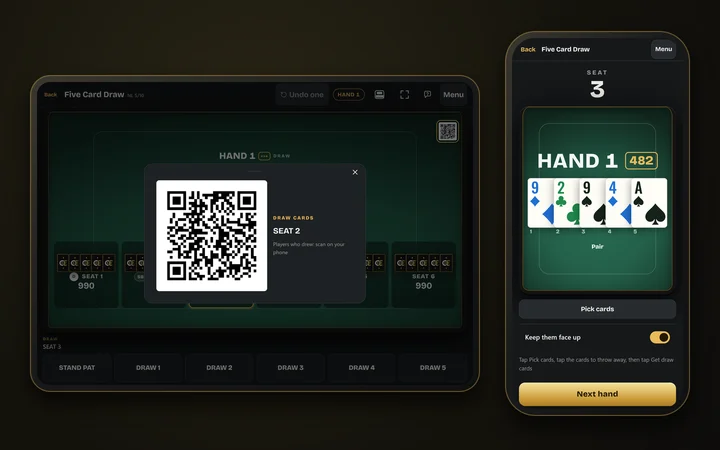
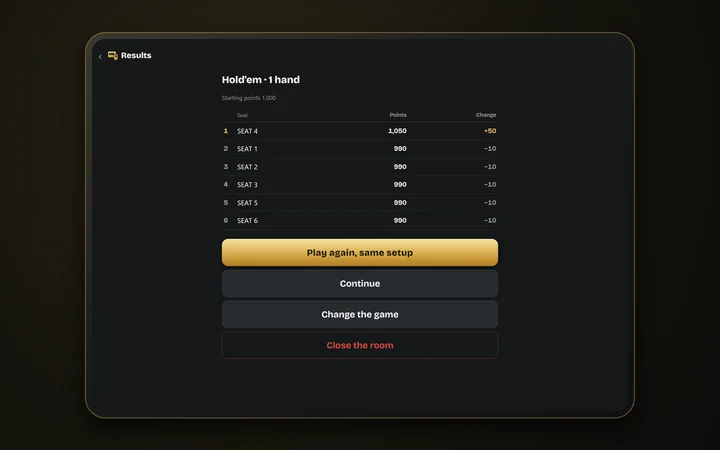
Once the game is decided, the results screen appears right away (rank, final points, change). From there you can play again with the same setup, add points and continue, or change the game. A seat with no points shows BUST and a seat sitting out shows SIT OUT; tap the seat to add points or bring it back.
Only the host holds the deck. A seat's QR code holds only that seat's upcoming cards, the hand numbers and similar details, never other seats' cards or the board. Player devices just scan the host's QR codes and enter the number shown on the host. The devices never talk to each other or to a server, so it works with no signal. The camera image never leaves the device.
No money is wagered. Only the host keeps the points, and they are just numbers with no currency.
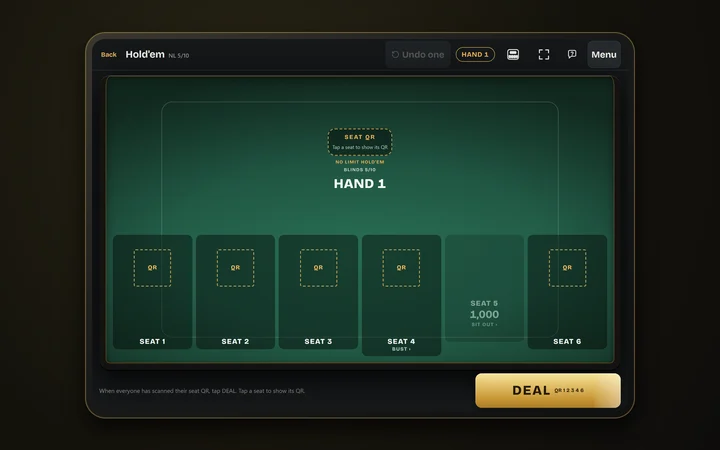
The host can change the game between hands. Seats, names and points stay as they are.
No Limit, Pot Limit or Limit.Up to 6 seats
Limit.Up cards are shown on the host.Up to 6 seats
Single draw and triple draw (limit).Up to 6 seats
Rotate through games in the same formats as the app’s mixed games, such as HORSE, 8-Game, 10-Game, Big Bet Mix and Dealer’s Choice, or in an order you build yourself. In Dealer’s Choice the host picks the game each hand. Every game seats up to 6.
For players aged 18 and over.
May we use Google Analytics cookies to understand how this site is used? Details